The PowerSync SDK contributes a DevTools extension to Dart & Flutter DevTools. No additional dependencies or setup is required to launch PowerSync DevTools. The extension is included in the powersync package from v2.6.0 and activates automatically when a PowerSyncDatabase is opened. It is disabled in release builds.

Open the Extension

First, open DevTools:
  • In VS Code, launch your app in debug mode, then run the Dart: Open DevTools in Browser command from the command palette.
  • In Android Studio / Intellij, click the Flutter DevTools button in the run toolbar.
  • For apps launched from the command line, see these instructions.
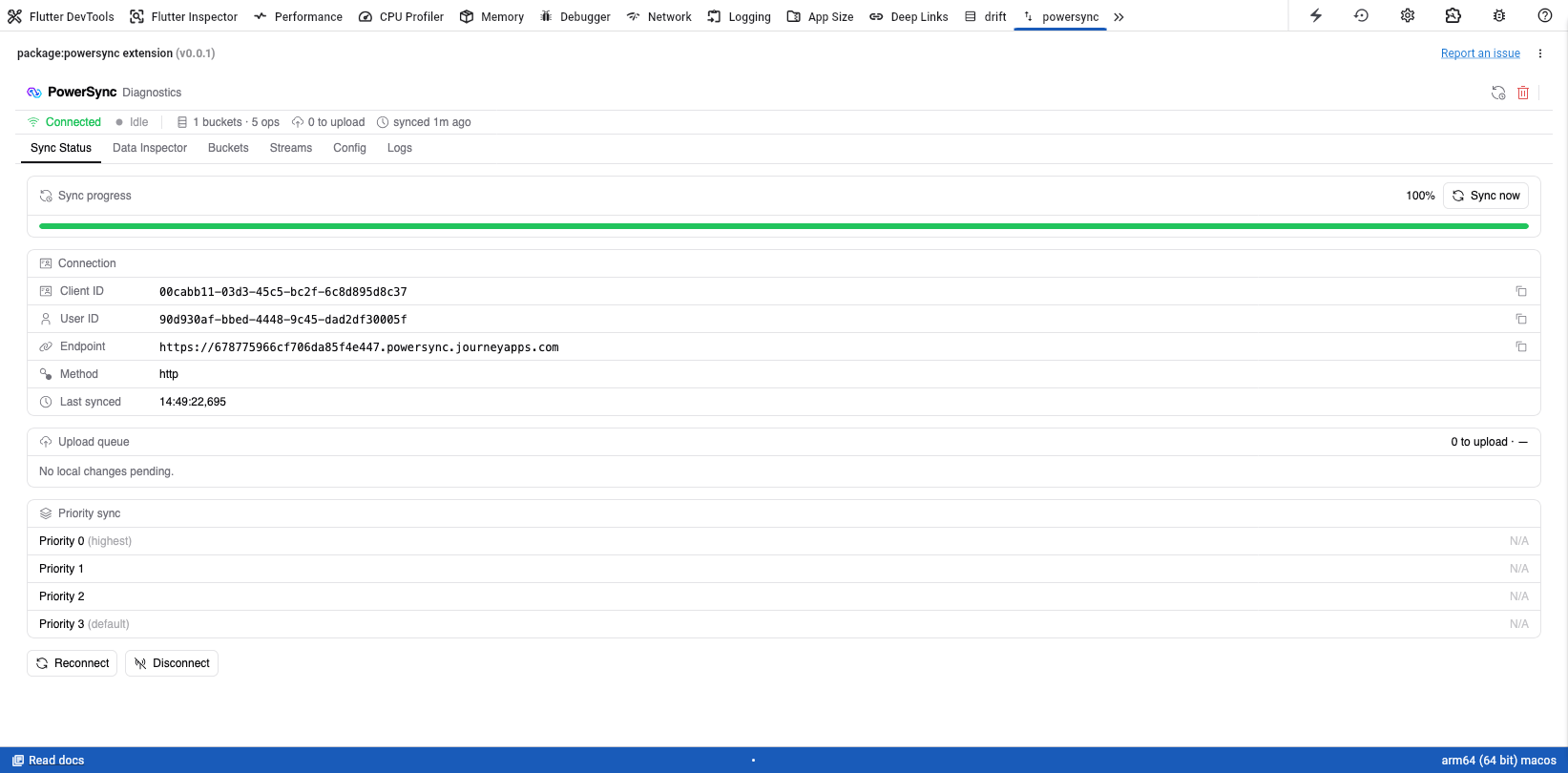
In DevTools, a powersync tab appears in the DevTools tab bar alongside the standard panels. If you have multiple databases open, use the dropdown in the top-right corner to switch between them.
Screenshot of the PowerSync Dart & Flutter DevTools extension

The PowerSync entry in DevTools

For a complete overview of what PowerSync DevTools has to offer, see Using DevTools.