

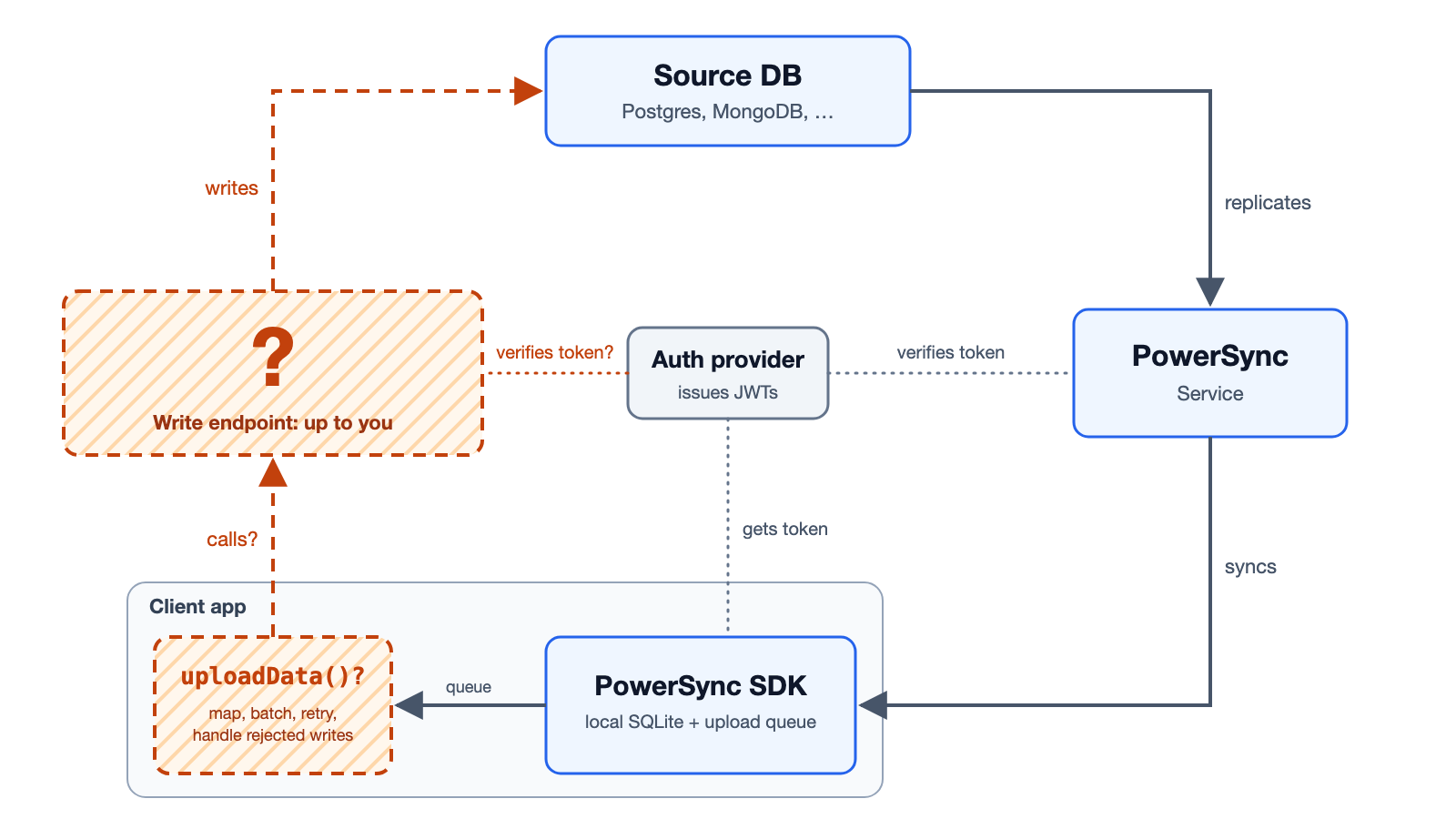
PowerSync handles the read path. The dashed lines show the write path through your backend connector and write endpoint.
uploadData() function in your app’s backend connector and a write endpoint in your application backend.
You can use an existing API, Supabase’s PostgREST API, or the reference write implementation. Your write endpoint is responsible for authenticating and authorizing writes.
How a Write Reaches Your Source Database
You implement steps 3 and 4. The client SDK and the PowerSync Service handle the other steps.- When your app writes to a synced table in the client-side SQLite database, the client SDK also adds the write to the upload queue.
- The client SDK calls the
uploadData()function in your backend connector to upload the queued writes. You never calluploadData()directly. See WhenuploadData()is Called. - Your
uploadData()function sends the queued writes to your write endpoint. After a successful response, your function callscomplete()on the transaction or batch it sent, which removes those writes from the upload queue. If the request fails with an error that a retry can fix, such as a network error, your function throws instead. The writes stay in the queue, and later writes wait behind them until a retry succeeds. - Your write endpoint applies the writes to your source database before it responds. Otherwise, the change can disappear from the device until the write reaches the source database and syncs. See Applying Writes Before Responding.
- The PowerSync Service replicates the changes from your source database and syncs them to every client whose Sync Streams include the changed rows.