

SDK Support
Full-text search has been demonstrated in the following SDKs:- Dart/Flutter SDK: Uses the sqlite_async package for migrations
- JavaScript Web SDK
- React Native SDK: Requires additional configuration to enable FTS5, see the README.
- Swift SDK
sqlite package used. It may be supported in our other SDKs, especially if the FTS5 extension is available, but would be untested. Check with us on Discord if you have a use case and need help getting started.
Example Implementations
FTS is implemented in the following demo apps: We explain the Flutter/Dart implementation in more detail below. Example code is shown mainly in Dart, but references to the React, React Native and Swift equivalents are included where relevant, so you should be able to cross-reference.Walkthrough (Dart): Full-text search in the To-Do List Demo App
Setup
First, we need to set up the FTS tables to match thelists and todos tables already created in this demo app. Don’t worry if you already have data in the tables, as it will be copied into the new FTS tables.
FTS tables are created when instantiating the client-side PowerSync database.
createFtsMigration function is key and corresponds to the below (Dart example):
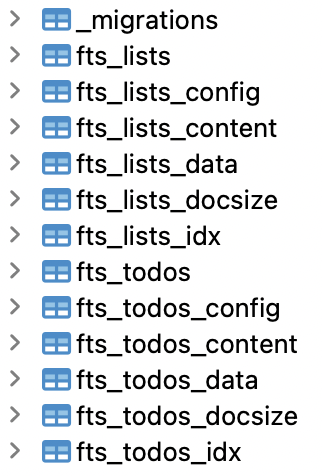
FTS tables and migrations
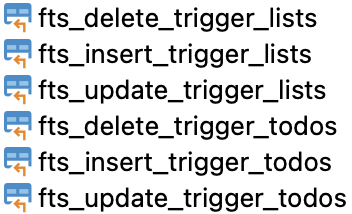
FTS triggers
FTS Search Delegate
To show off this new functionality, we have incorporated FTS into the search button at the top of the screen in the To-Do List demo app:
lists or todos that you have generated.
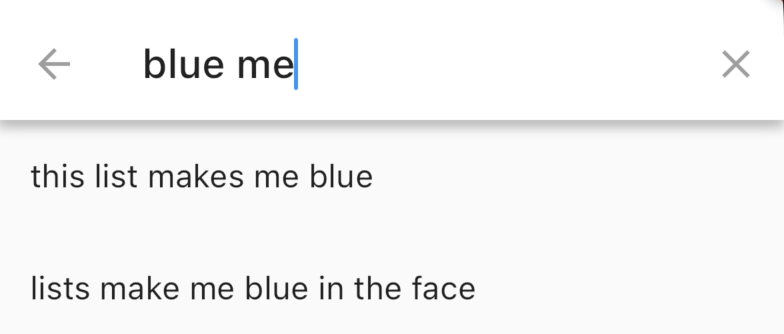
Example of searching
FTS Helper
We added a helper in lib/fts_helpers.dart (Flutter) and utils/fts_helpers.ts (Web) that allows you to add additional search functionality which can be found in the SQLite FTS5 extension documentation.Implementations in Other SDKs
- The React, React Native and Swift implementations do not use migrations to create the FTS tables. They create the FTS tables separately, see for example:
- utils/fts_setup.ts (React)
- library/fts/fts_setup.ts (React Native)
- PowerSync/FtsSetup (Swift)
- See below for relevant snippets in the demo implementations.
- React
- React Native
- Swift