> ## Documentation Index
> Fetch the complete documentation index at: https://docs.powersync.com/llms.txt
> Use this file to discover all available pages before exploring further.
# Nuxt DevTools Integration
> A Nuxt DevTools integration for inspecting PowerSync sync status, local data, config, and logs during development.
The `@powersync/nuxt` module includes a PowerSync diagnostics panel that integrates with [Nuxt DevTools](https://devtools.nuxt.com/). It lets you inspect your app's sync state, local SQLite data, and configuration while running in development.
## Enabling Diagnostics
Add `powersync: { useDiagnostics: true }` to your `nuxt.config.ts`:
```typescript nuxt.config.ts theme={null}
export default defineNuxtConfig({
modules: ['@powersync/nuxt'],
powersync: {
useDiagnostics: true
},
vite: {
optimizeDeps: {
exclude: ['@powersync/web']
},
worker: {
format: 'es'
}
}
});
```
No changes to your plugin code are needed. When `useDiagnostics: true` is set, `NuxtPowerSyncDatabase` automatically extends your schema with the diagnostics schema, sets up diagnostics recording and logging, and stores the connector internally so the inspector can access it.
## Accessing the Inspector
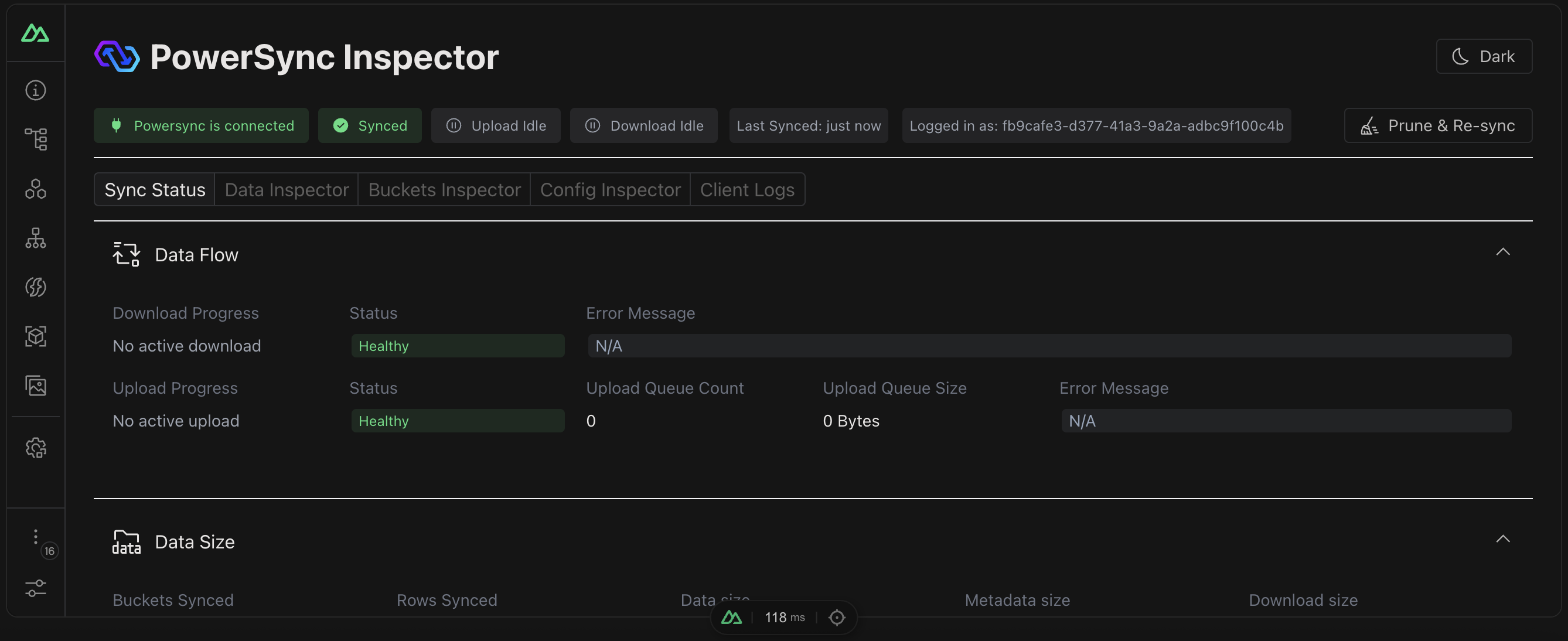 Open the inspector in one of two ways:
* **Nuxt DevTools**: open DevTools in your browser and navigate to the PowerSync tab.
* **Direct URL**: navigate to `http://localhost:3000/__powersync-inspector`.
## Inspector Views
| View | Description |
| -------------------- | ----------------------------------------------------------------------------------------- |
| **Sync Status** | Real-time connection status, sync progress, upload queue statistics, and error monitoring |
| **Data Inspector** | Browse and search your local SQLite tables |
| **Bucket Inspector** | Browse your buckets and their data |
| **Config Inspector** | View your PowerSync configuration, connection options, and schema |
| **Logs** | Real-time log output with syntax highlighting and search |
## Known Issues
The inspector uses `unocss` as a transitive dependency, which can conflict with Tailwind CSS. If you use Tailwind, add the following to your `nuxt.config.ts`:
```typescript nuxt.config.ts theme={null}
export default defineNuxtConfig({
unocss: {
autoImport: false
}
});
```
Open the inspector in one of two ways:
* **Nuxt DevTools**: open DevTools in your browser and navigate to the PowerSync tab.
* **Direct URL**: navigate to `http://localhost:3000/__powersync-inspector`.
## Inspector Views
| View | Description |
| -------------------- | ----------------------------------------------------------------------------------------- |
| **Sync Status** | Real-time connection status, sync progress, upload queue statistics, and error monitoring |
| **Data Inspector** | Browse and search your local SQLite tables |
| **Bucket Inspector** | Browse your buckets and their data |
| **Config Inspector** | View your PowerSync configuration, connection options, and schema |
| **Logs** | Real-time log output with syntax highlighting and search |
## Known Issues
The inspector uses `unocss` as a transitive dependency, which can conflict with Tailwind CSS. If you use Tailwind, add the following to your `nuxt.config.ts`:
```typescript nuxt.config.ts theme={null}
export default defineNuxtConfig({
unocss: {
autoImport: false
}
});
```