> ## Documentation Index
> Fetch the complete documentation index at: https://docs.powersync.com/llms.txt
> Use this file to discover all available pages before exploring further.
# Stytch + Supabase
> Set up Stytch authentication with Supabase for PowerSync.
## Consumer Authentication
See this community project for detailed setup instructions:
## B2B SaaS Authentication
The high-level approach is:
* Users authenticate via [Stytch](https://stytch.com/)
* Extract the user and org IDs from the Stytch JWT
* Generate a Supabase JWT by calling a Supabase Edge Function that uses the Supabase JWT Secret for signing a new JWT
* Set the `kid` in the JWT header
* You can obtain this from any other Supabase JWT by extracting the KID value from the header — this value is static, even across database upgrades.
* Set the `aud` field to `authenticated`
* Set the `sub` field in the JWT payload to the user ID
* Pass this new JWT into your PowerSync `fetchCredentials()` function
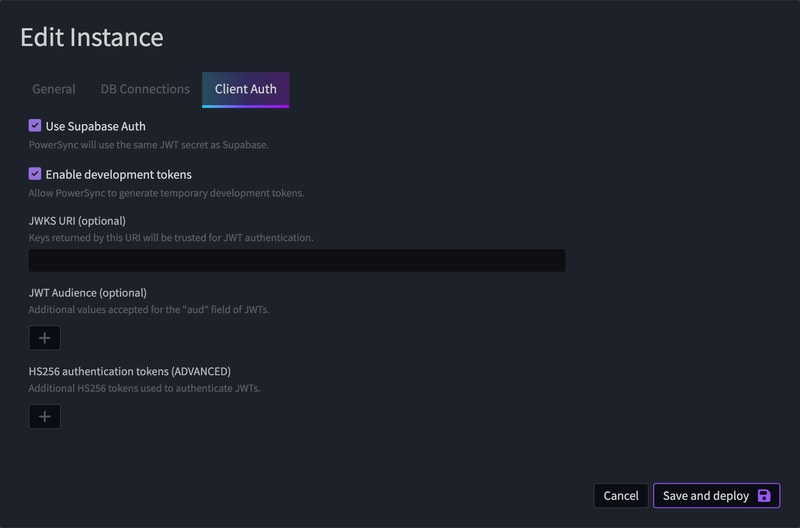
Use the below settings in your [PowerSync Dashboard](https://dashboard.powersync.com/):
 Reach out to us directly on our [Discord server](https://discord.gg/powersync) if you have any issues with setting up auth.